Skip to content
Hyperfluid 2.0 is live console.hyperfluid.cloud/signup
Knowledge base building

Your PDFs, emails and files become a queryable base.

OCR, classification and summary pipelines, inside your perimeter

Assemble a pipeline in the console: a trigger, a source, steps, a destination. Six pre-wired templates read your PDFs and attachments, classify them, summarize them and file them into Iceberg tables or folders. OCR and classification run on a model served in your own cluster, or on a third-party API if you prefer.
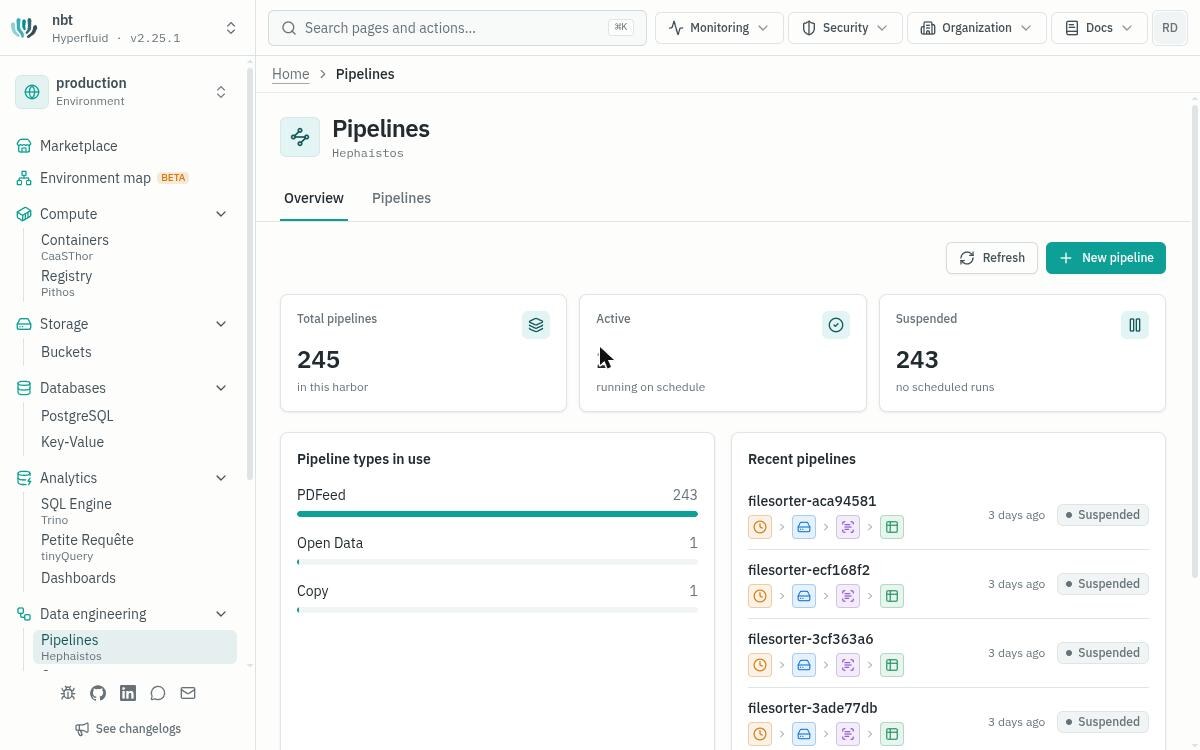
The Hyperfluid console, Pipelines page: document pipelines, their types and their latest runs

Specifications

Pipeline editor
Trigger, source, steps, destination
OCR & extraction
PDF, Word, images into Iceberg tables
LLM classification
Labeling and filing into folders
Hippocampe
L0/L1 summaries agents can search
Templates
Six pre-wired pipelines, or a blank one
Operations
Cron schedule, console and hfctl

Use cases

Sort incoming documents

Invoices, quotes, letters: the Sort files pipeline reads each document, labels it and files it into the right folder

Automatic sorting, folder by folder

Query your PDFs

Extract documents runs a bucket of PDFs through OCR and lands the result in an Iceberg table, queryable like any other table

From PDF to Iceberg table

Give your agents a memory

Memory distillation summarizes a table into L0 and L1 levels (Hippocampe): your AI agents search the synthesis before diving into the detail

Progressive search

In action

Classify the inbound document flow

A property management team receives invoices, quotes and letters by email every day

  1. Plug the email connector into the management inbox
  2. Start from the Sort files template: pick the bucket, the classification model and the labels
  3. Deploy: on every schedule, the pipeline files each document into the right folder, property by property
  4. Track runs from the pipelines overview

No more manual sorting: every document lands classified in the right place

Make PDF archives queryable

A data team needs to make years of accumulated PDF archives usable

  1. Drop the archives into one of the organization's S3 buckets
  2. Start from the Extract documents template: source bucket, destination Iceberg catalog and schema
  3. OCR runs on the model served in your cluster, structured data lands in an Iceberg table
  4. Query the archives in SQL from Petite Requête

Years of archives become a queryable knowledge base

Key benefits

  • Your documents become a queryable base, in SQL and for your AI agents
  • Six pre-wired pipelines, a visual editor to adapt them, a dashboard to track them
  • Fed by your connectors: inbound email, Google Drive, S3 buckets
  • Everything runs inside your perimeter: OCR and classification on a model served in your cluster

Ready to make your documents talk?

Discover how document pipelines build your knowledge base.